User story maps for the whole user journey
See the whole journey your users take, find the gaps a flat backlog hides, and slice the smallest release that works end to end. If your team delivers in Azure DevOps, the native integration syncs the stories there when they are ready.
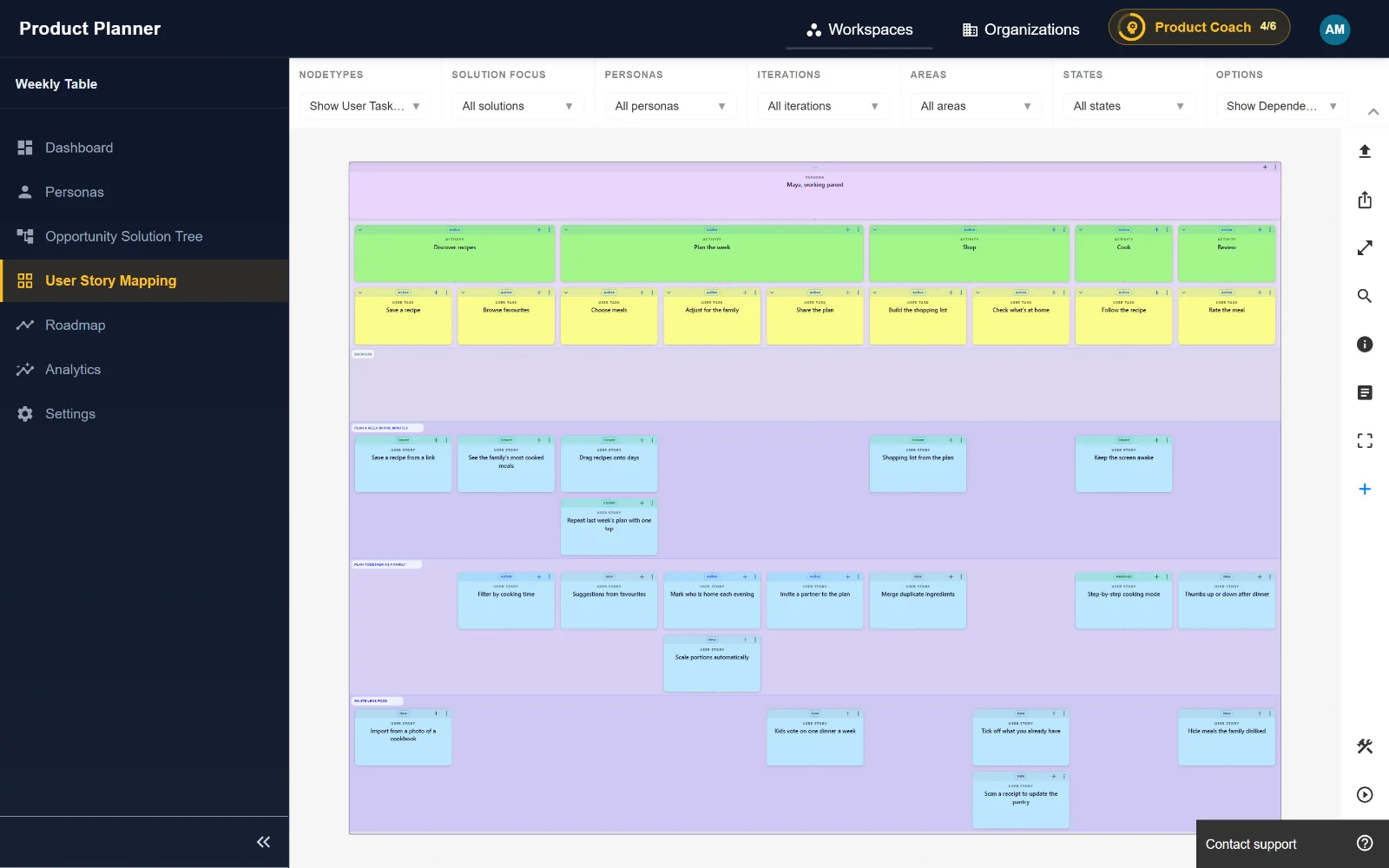
How it works
Pick a persona
Each map belongs to a persona, so the journey is someone’s real journey, not every user at once.
Lay out the backbone
Add the activities a user goes through, left to right, and the user tasks within each one.
Add stories and slice releases
Stack stories under each task by priority and drag them into release slices. The first slice is your walking skeleton.
Hand off to delivery
Plan in the map, or push stories and tasks to Azure DevOps as work items if that is where your team delivers.
What you get
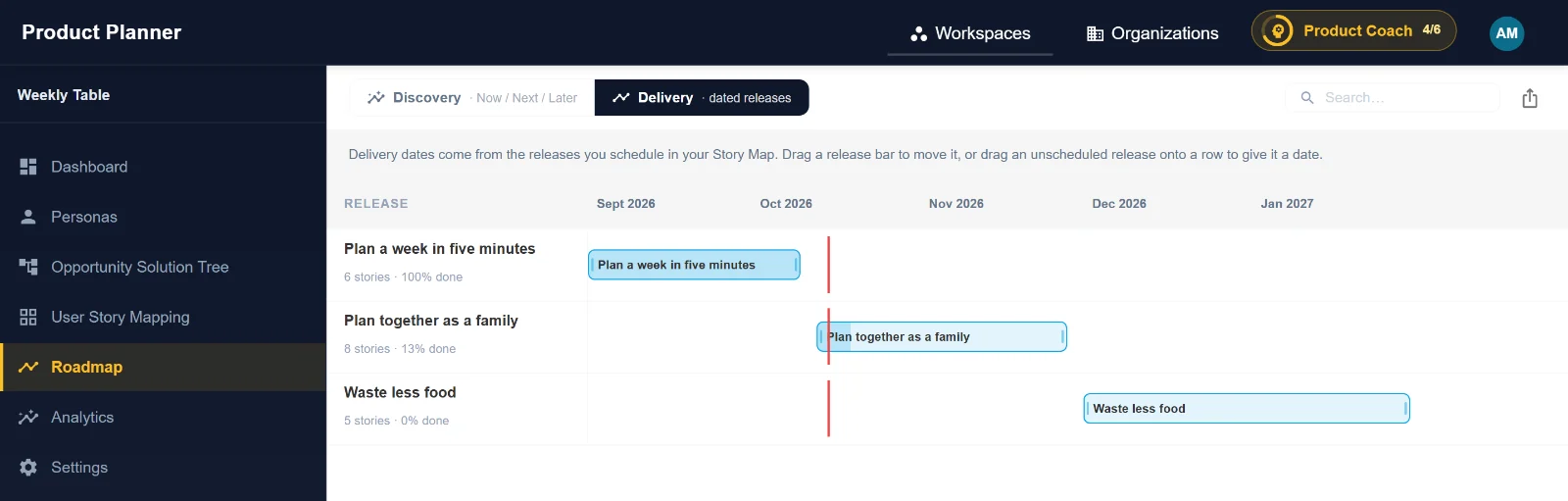
Release slices with dates
Plan releases as slices across the map, schedule them, and see each release’s progress on the delivery roadmap.
Drag-and-drop ordering
Reorder activities, tasks and stories, and move stories between releases and the backlog.
Linked to discovery
Focus the map on one solution from your Opportunity Solution Tree, so every story traces back to an opportunity.
Native Azure DevOps integration
Two-way sync of stories and tasks with Azure DevOps work items, or use Product Planner inside Azure DevOps with the extension. The map works without it too.
Filters
Filter by persona, solution, iteration, area and state, and show dependencies between stories.
Shareable
Share the map with stakeholders who don’t use Product Planner.
Questions
- What is a user story map?
- A map of the work along the user’s journey: activities and user tasks across the top, the stories that support each task below, and release slices across the map. Jeff Patton popularized it in his book User Story Mapping.
- How does a story map relate to Azure DevOps work items?
- A common mapping is activities to epics, user tasks to features and stories to user stories or product backlog items. Product Planner pushes stories and tasks to Azure DevOps as work items.
- Can I start a story map from a validated solution?
- Yes. From a solution in the Opportunity Solution Tree, open its story map and the map focuses on the stories for that solution.
Try Product Planner free for 90 days
No credit card. Set up a workspace in a minute and let the product coach guide you.